Product · 2026
Flowmaster
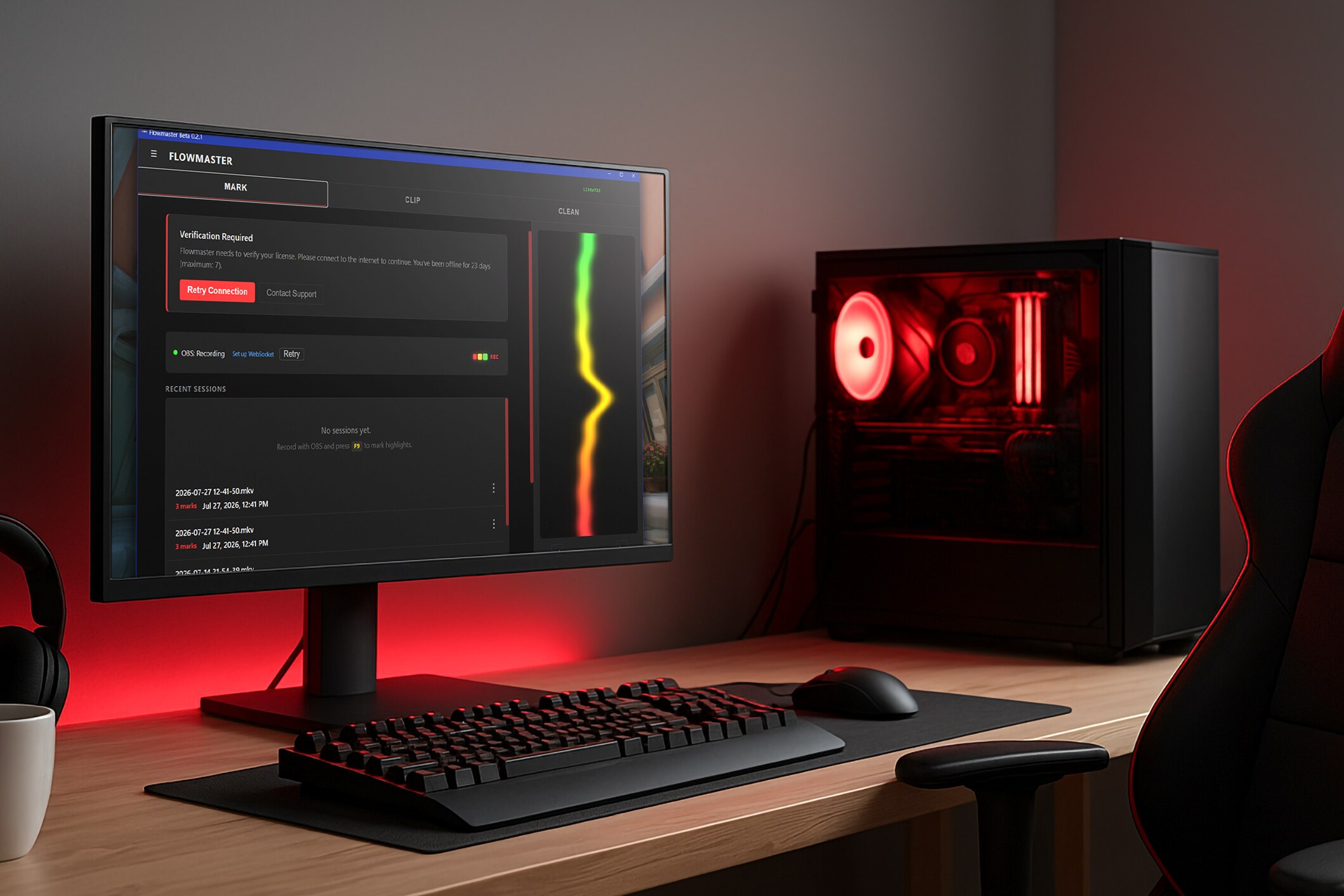
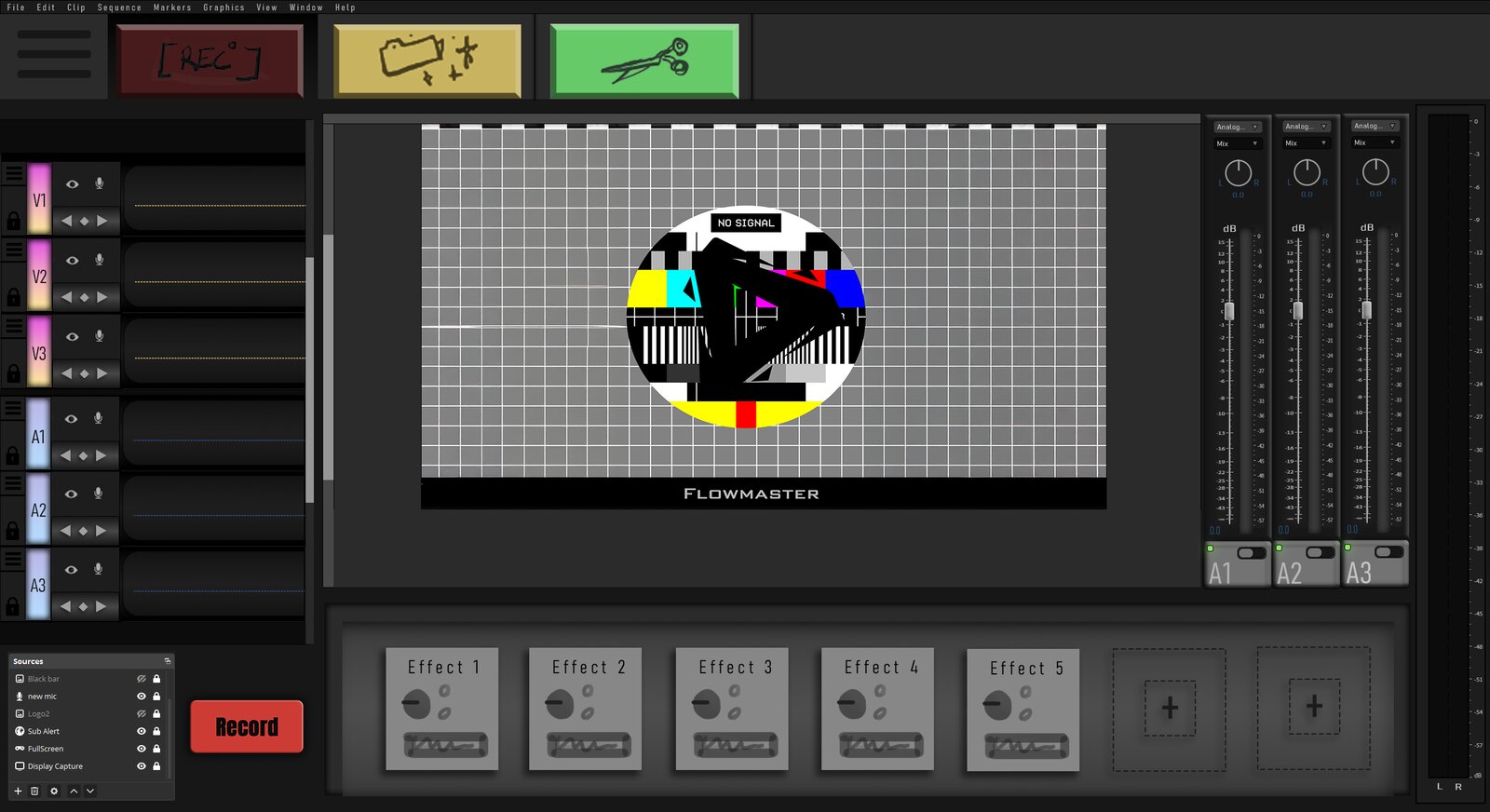
Allows you to edit what you keep while you're recording — eliminating the ‘rough cut’ phase for creators.
Photoshop mockup
The problem
Hours of footage before the editing even starts.
Creators record everything by default now, which means post production gets heavier every year. Serious creators hire teams of editors because they know that once the recording stops, the real work hasn't even started. You spend hours cleaning up the footage first, scrubbing through long files just to pull out the pieces that are worth keeping, and only then do you have something you can actually start editing. That's the rough cut, and it's exhausting. On top of that, hour long files crash, freeze, and stutter on normal computers, and all of the scrolling is mentally exhausting and burns passionate creatives out fast.
The approach
Keep the moment while it happens.
I kept hitting the same obstacle: the rough cutRough cutTaking a very long recording, sometimes many hours, and chopping it down to just the parts you actually want to use. It is not the final edit — it is cleaning up the footage so you can begin the real editing.. So I built a tool around marking the moments you want to keep while you are still recording. It grew in five stages.
- A lightweight AHK scriptAutoHotkeyA bare scripting language for triggering computer actions from keystrokes. Mine did two things: Shift + F9 started a timer, and every F9 press wrote a timestamp to a text file. I ran it alongside the recording so I had something to reference later. that logged a timestamp on every keypress while I recorded.
- A Python auto-cutter that read that log and used FFmpegFFmpegThe open-source engine most video software is built on. It reads, cuts, converts and re-encodes video from the command line, so a script can do in seconds what would otherwise be manual work in an editor. to build a reel of only the keepers — what became the Clip tab.
- A cleaner script that spotted recordings with both an original and an edit, and offered to delete the original.
- A rewrite of every part in Rust, with a front end that made them one application.
- The heavier backend: a multi-tenant database and login, an admin UIAdmin UIAdministrator-only dashboards for managing other people's accounts: account supervision, revoking access keys, and the rest of the oversight work. for account oversight, a marketing analytics dashboard, an installer wizard, and the website.
The hard part
The infrastructure behind the editing tools.
The most demanding work was the systems around the editing tools, and much of it began as research rather than code: weighing the options for accounts, licensing, and billing before committing to a backend, then building the admin interface for managing customers, releases, and crash reports. Analytics and tracking also meant researching privacy requirements and the limits on what you can collect before anything was wired in.
The release needed the same attention to detail: a website and release page, an installer, a desktop shortcut, license activation, and automatic updates. Bringing those pieces together meant taking responsibility for how Flowmaster would be distributed, maintained, and supported after launch.
Internal tool · Ops-Deck admin console
Outcome
Free to try, not yet ready to charge.
The real outcome was a lesson. I had built in more analytics than the product needed, and charging for it turned out to need legal groundwork I did not have yet, like SOC 2. So Flowmaster is free to download and try, but accounts and the paid version are switched off and everyone runs in trial mode. The trial stops after about thirty actions, which is plenty of runway to see what it does. Built solo, end to end, backed by 116 tests.
Companion app · prototype mockup
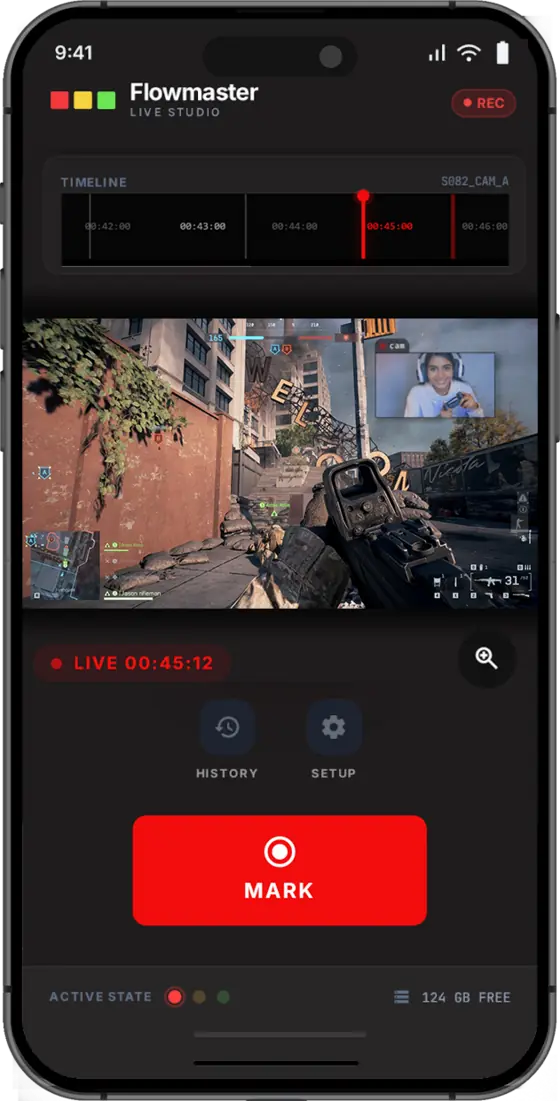
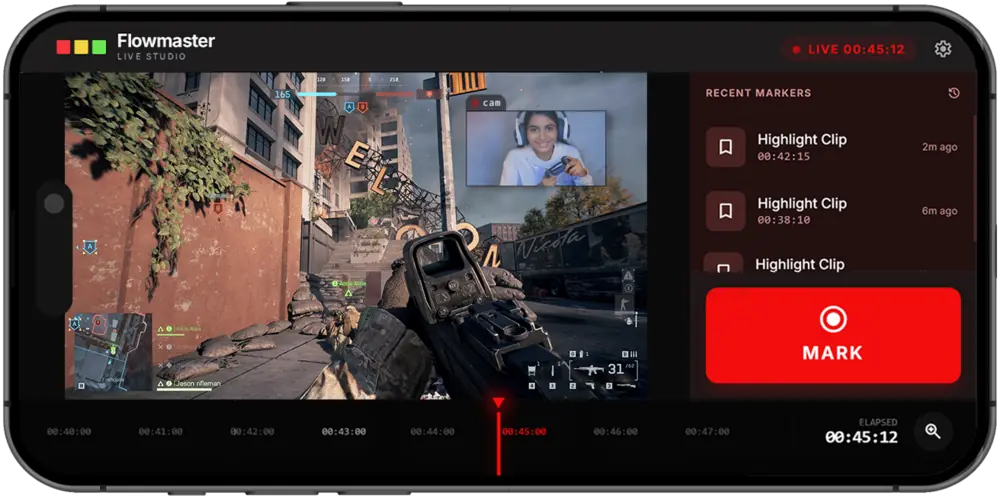
The session, in your pocket.
The mobile companion in both orientations: the portrait timeline with the mark button under your thumb, and the landscape studio with recent markers alongside the feed.
How it works · Interactive Motion Graphics
Mark it, clip it, clean it.
The whole product in three moves: keep the moment while you are still recording, cut the reel out of the recording afterwards, then reclaim the disk the original was eating.
Mark
Hit a hotkey after something worth keeping happened. Flowmaster marks these highlights while you keep recording.
Clip
Run Clip to extract your highlights into a separate highlight reel. The original is left untouched.
Clean
Detect and remove original files after highlights are extracted, freeing up storage.
Motion Graphic Animation
One key, clips of any length.
Tap F9 and Flowmaster keeps a window around the moment, looking back and forward from the press, then merges overlapping marks into a single range.
User research · persona and prototype
Who it's for
Audience
The creator Flowmaster is built for. He records constantly and posts rarely, because the editing eats the week. The persona was written first, and the product was scoped against it.
Early Prototype
Presentation design · pitch deck
The deck the pitch was built on.
The full Flowmaster pitch deck, start to finish: the problem, the customer, the value proposition, the product, and the ask.